Showing posts with label Graphic designer. Show all posts
How to create a glitch effect in Photoshop the EASY WAY
Glitch effect is the latest trend in graphic design. It may seem complicated but there is always an easy way.

So let's get started,
1) First of all open your image in Photoshop. Duplicate the layer 2 times and name one layer Red and second copy Green.

2) Now Desaturate both red and Green layer by pressing Shift + Ctrl + U or by going to the Image>Adjustments >Desaturate.

3) Double click on the red layer to open layer style. Turn off the Green and blue channel by deselecting the check mark against G and B under advanced blending options and click OK.

It might seem nothing happened but it did. Move the layer either to left or right depending on the effect you want.

4) Similarly, double click on the Green layer to open layer style. Turn off the Red channel by deselecting the check mark against R under advanced blending options and click OK.

It might seem nothing happened again but it did. Move the layer either to left or right depending on the effect you want.

5) Now create a new a new layer and fill it with white. Go to filters > filter gallery and select Halftone Pattern. Under pattern type select Line. Size of lines will depend on your image size for my example I have selected 2.

Reduce the opacity according to your requirement. For my example I had to reduce it to 10%.

6) All done. For the final step all you have to do is to create a composite Image by selecting all the layers and Press Shift + ctrl + alt +E. This creates a composite layer. Now select the rectangle marquee tool and bit by bit select areas you want to create the glitch effect and move it either left or right depending on the effect you want.
Select the rectangle marquee tool and drag a small strip like in the example below and drag it to either left or right by pressing Ctrl.

Follow the same process to complete the image. Remember variation is a must. Do not create same size segments. Keep altering the direction of glitch.

That's it as simple as it can be. Glitch effect in Photoshop the EASY WAY. There are many ways to create this effect but this one is fast and easy.
So go ahead and create your own versions and Don't forget to share your art with me and follow me on twitter and pintrest.
So let's get started,
1) First of all open your image in Photoshop. Duplicate the layer 2 times and name one layer Red and second copy Green.
2) Now Desaturate both red and Green layer by pressing Shift + Ctrl + U or by going to the Image>Adjustments >Desaturate.
3) Double click on the red layer to open layer style. Turn off the Green and blue channel by deselecting the check mark against G and B under advanced blending options and click OK.
It might seem nothing happened again but it did. Move the layer either to left or right depending on the effect you want.
5) Now create a new a new layer and fill it with white. Go to filters > filter gallery and select Halftone Pattern. Under pattern type select Line. Size of lines will depend on your image size for my example I have selected 2.
Reduce the opacity according to your requirement. For my example I had to reduce it to 10%.
6) All done. For the final step all you have to do is to create a composite Image by selecting all the layers and Press Shift + ctrl + alt +E. This creates a composite layer. Now select the rectangle marquee tool and bit by bit select areas you want to create the glitch effect and move it either left or right depending on the effect you want.
Select the rectangle marquee tool and drag a small strip like in the example below and drag it to either left or right by pressing Ctrl.
Follow the same process to complete the image. Remember variation is a must. Do not create same size segments. Keep altering the direction of glitch.
That's it as simple as it can be. Glitch effect in Photoshop the EASY WAY. There are many ways to create this effect but this one is fast and easy.
So go ahead and create your own versions and Don't forget to share your art with me and follow me on twitter and pintrest.
Practice and play around with the technique and 1 day you will be able to create awesome art with it in a professional manner and become a Really Creative Graphic Designer.
How to create Sliced text Effect In Illustrator
Abode Illustrator
,
Graphic design
,
Graphic design trend
,
graphic design trends.
,
Graphic design.
,
Graphic designer
,
how to
,
Tutorials
,
Type
,
Typography
,
Vector
Sliced text effect is a popular text effect. It really easy to create the effect in a matter of few steps in illustrator.

So let's see how its done,
1) Type in your text. Here for now I here using one letter to keep it simple and easy.

2) Select the text right click and select create outlines.
3) Now select the line tool and create a line as shown in the image. You have to place this line where you want to cut the text. So think and decide where you want to slice the text and accordingly place the line.

4) Open the pathfinder pallet from the windows menu or simply press ctr+Shift+F9. Select both text and line and click on Divide in the pathfinders pallet. Now again right click and select Ungroup.

5) Select direct selection tool and select lower part of R and change the Color.

6) Now select lower part to text and move it down a bit.

That's it Simple and easily done in few steps. You can achieve the same result with words.
Here are some examples,


 So go ahead and create your own versions and Don't forget to share your art with me and follow me on twitter and pintrest.
So let's see how its done,
1) Type in your text. Here for now I here using one letter to keep it simple and easy.
2) Select the text right click and select create outlines.
3) Now select the line tool and create a line as shown in the image. You have to place this line where you want to cut the text. So think and decide where you want to slice the text and accordingly place the line.
4) Open the pathfinder pallet from the windows menu or simply press ctr+Shift+F9. Select both text and line and click on Divide in the pathfinders pallet. Now again right click and select Ungroup.
5) Select direct selection tool and select lower part of R and change the Color.
6) Now select lower part to text and move it down a bit.
That's it Simple and easily done in few steps. You can achieve the same result with words.
Here are some examples,


Practice and play around with the technique and 1 day you will be able to create awesome art with it in a professional manner and become a Really Creative Graphic Designer.
How to create Brush in Photoshop
Brush is the most important tool in digital painting. But to make an awesome painting there is always a need for custom brushes.

Creating brush in Photoshop is a simple 2 step process. It is possible to create any type of brush in a matter of 2 clicks. You can make brush out of any texture to create a specific texture brush to meet your digital painting requirements. You can also make brush out of text to use as a stamp. Usability of brush is flexible and you can use it as far as your creativity can stretch.
So let's get started,
First lets start by creating a basic brush out of this flower in 2 simple steps.
 1) So simply make the shape you want for your brush I have made this flower.
2) Select it by pressing Ctrl + A Then go to Edit > Define Brush Preset. Enter in the name of your brush I have named it Flower!

And there you have it your brush is ready to be used. Select the brush tool from the Tools Pallet or simply press Ctrl + B right click to open brush panel and select the brush you have just created. If you are using older version of Photoshop go to the brush panel under window menu and select your brush. Now you are ready to use it it will paint with your foreground color.
 This is how it will look. Go to the brushes panel and adjust the spacing to get the desired effect.

You can also play with shape dynamics to vary the spacing, count and scattering.

So that's how you create a Brush in Photoshop.
In digital Painting you need brushes with various textures. The process to create it is similar to the above. Just create the texture you want and then convert it to brush.
Let's see this with an example,
I am using this texture to create the brush. First select it by pressing Ctrl + a and go to Edit > Define Brush Preset. Enter in the name and there you have it. Textured brush is ready to use

It will paint with your foreground color.

Cool ha. As simple as eating a cake.
That's how you create a brush in Photoshop. When you have a design project at hand it requires various brushes of various shapes or texture. Thus you can create your own brush to fulfill your requirements. You can also buy brushes online. There are many sites that offer many custom brushes at good price.
Practice and play around with the brush and 1 day you will be able to create awesome art with it in a professional manner and become a Really Creative Graphic Designer.
Creating brush in Photoshop is a simple 2 step process. It is possible to create any type of brush in a matter of 2 clicks. You can make brush out of any texture to create a specific texture brush to meet your digital painting requirements. You can also make brush out of text to use as a stamp. Usability of brush is flexible and you can use it as far as your creativity can stretch.
So let's get started,
First lets start by creating a basic brush out of this flower in 2 simple steps.

2) Select it by pressing Ctrl + A Then go to Edit > Define Brush Preset. Enter in the name of your brush I have named it Flower!

And there you have it your brush is ready to be used. Select the brush tool from the Tools Pallet or simply press Ctrl + B right click to open brush panel and select the brush you have just created. If you are using older version of Photoshop go to the brush panel under window menu and select your brush. Now you are ready to use it it will paint with your foreground color.

You can also play with shape dynamics to vary the spacing, count and scattering.

In digital Painting you need brushes with various textures. The process to create it is similar to the above. Just create the texture you want and then convert it to brush.
Let's see this with an example,
I am using this texture to create the brush. First select it by pressing Ctrl + a and go to Edit > Define Brush Preset. Enter in the name and there you have it. Textured brush is ready to use


Cool ha. As simple as eating a cake.
That's how you create a brush in Photoshop. When you have a design project at hand it requires various brushes of various shapes or texture. Thus you can create your own brush to fulfill your requirements. You can also buy brushes online. There are many sites that offer many custom brushes at good price.
Practice and play around with the brush and 1 day you will be able to create awesome art with it in a professional manner and become a Really Creative Graphic Designer.
Painting in Photoshop is easy if you have a graphics tablet. It is not compulsory to have it but it makes your life a lot easier. The things that can be done in a few steps with a mouse can be achieved in a stroke with a graphics tablet. If you planning to buy one here are a few that you may consider buying.
Don't forget to share your art with me and follow me on Twitter and Pinterest.
If you like my tutorials and posts follow me on Twitter and Pinterest.
Affiliate Disclaimer: This post contains affiliate links and I will be compensated if you make a purchase after clicking on my links. As an Amazon Associate, I earn from qualifying purchases. This will not cost you a single penny extra. Thanks for the understanding and rewarding me for my hard work.No Flash After 2020
Finally it's time to say goodbye to Flash Player. Adobe has announced that it will stop distributing and updating Flash Player at the end of 2020.

Steve jobs was one of the first opponent of Flash player. He always said that the flash player never worked well and also opened door to hackers. He also made a decision not to support flash in iPhone or iPad. That meant no flash or animation on ios mobile platform. Now after 6 yrs of his death the day has finally come when flash is declared dead.
So why is this happening? There are new technology up now which can do what flash can do. Open standards like HTML5, WebGL and WebAssembly have evolved over time. Now they are able to almost anything that flash can. HTML5 is supported by all major browsers today, without the need for plugin-ins. Many Browser now are integrating capabilities that were provided by plugins directly in to browser. These new open standards make sites more faster and more secure. Latest trend bring mobile compability is also covered by these Open standards. It is encouraging content creators to migrate any existing Flash content to these new open formats.
Adobe flash player has played a major role in making boring plain text on the internet more interesting interactive content. There are many sites which are still using flash player. Unfortunately there are also many major sites also that are still using flash player. however, they have also started migrating and have a beta version of it. Adobe has given time so that they can migrate any existing Flash content to open standards.
As officially written by adobe "Given this progress, and in collaboration with several of our technology partners – including Apple, Facebook, Google, Microsoft and Mozilla – Adobe is planning to end-of-life Flash. Specifically, we will stop updating and distributing the Flash Player at the end of 2020 and encourage content creators to migrate any existing Flash content to these new open formats."
As officially written by google "We will remove Flash completely from Chrome toward the end of 2020. @google "
As officially written by Mozilla "As part of improving Firefox performance and security this year, Firefox users will choose which sites may run the Flash plugin. This choice will give users the ability to keep using legacy sites that require Flash, while letting modern sites shine with blazingly fast HTML speed."
As officially written by Facebook "As we march towards 2020, and the subsequent deadlines set by browsers, we'll offer more resources for developers to aid in the migration path."
As officially written by Microsoft "We will phase out Flash from Microsoft Edge and Internet Explorer, culminating in the removal of Flash from Windows entirely by the end of 2020. This process began already for Microsoft Edge with Click-to-Run for Flash in the Windows 10 Creators Update."
For full detailed information you can visit their official page:
https://blogs.adobe.com/conversations/2017/07/adobe-flash-update.html
https://www.blog.google/products/chrome/saying-goodbye-flash-chrome/
https://blog.mozilla.org/futurereleases/2017/07/25/firefox-roadmap-flash-end-life/
https://developers.facebook.com/blog/post/2017/07/25/Games-Migration-to-Open-Web-Standards/
It is really sad to say goodbye to Flash. I really liked it a lot. I would also like to clear a confusion that many are having that "FLASH PLAYER" is dead not ADOBE FLASH (now known as ANIMATE CC). Flash player is a plugin that is used to display content on the web while Adobe Flash is a software that lets you create animation and interactive content. So bear in mind flash player is the one that will no longer be available after 2020.
As new technologies come they come with new advantages and functionalities which help us have a better and safe usage. Therefore we should welcome and use them for the better future.
Steve jobs was one of the first opponent of Flash player. He always said that the flash player never worked well and also opened door to hackers. He also made a decision not to support flash in iPhone or iPad. That meant no flash or animation on ios mobile platform. Now after 6 yrs of his death the day has finally come when flash is declared dead.
So why is this happening? There are new technology up now which can do what flash can do. Open standards like HTML5, WebGL and WebAssembly have evolved over time. Now they are able to almost anything that flash can. HTML5 is supported by all major browsers today, without the need for plugin-ins. Many Browser now are integrating capabilities that were provided by plugins directly in to browser. These new open standards make sites more faster and more secure. Latest trend bring mobile compability is also covered by these Open standards. It is encouraging content creators to migrate any existing Flash content to these new open formats.
Adobe flash player has played a major role in making boring plain text on the internet more interesting interactive content. There are many sites which are still using flash player. Unfortunately there are also many major sites also that are still using flash player. however, they have also started migrating and have a beta version of it. Adobe has given time so that they can migrate any existing Flash content to open standards.
As officially written by adobe "Given this progress, and in collaboration with several of our technology partners – including Apple, Facebook, Google, Microsoft and Mozilla – Adobe is planning to end-of-life Flash. Specifically, we will stop updating and distributing the Flash Player at the end of 2020 and encourage content creators to migrate any existing Flash content to these new open formats."
As officially written by google "We will remove Flash completely from Chrome toward the end of 2020. @google "
As officially written by Mozilla "As part of improving Firefox performance and security this year, Firefox users will choose which sites may run the Flash plugin. This choice will give users the ability to keep using legacy sites that require Flash, while letting modern sites shine with blazingly fast HTML speed."
As officially written by Facebook "As we march towards 2020, and the subsequent deadlines set by browsers, we'll offer more resources for developers to aid in the migration path."
As officially written by Microsoft "We will phase out Flash from Microsoft Edge and Internet Explorer, culminating in the removal of Flash from Windows entirely by the end of 2020. This process began already for Microsoft Edge with Click-to-Run for Flash in the Windows 10 Creators Update."
For full detailed information you can visit their official page:
https://blogs.adobe.com/conversations/2017/07/adobe-flash-update.html
https://www.blog.google/products/chrome/saying-goodbye-flash-chrome/
https://blog.mozilla.org/futurereleases/2017/07/25/firefox-roadmap-flash-end-life/
https://developers.facebook.com/blog/post/2017/07/25/Games-Migration-to-Open-Web-Standards/
It is really sad to say goodbye to Flash. I really liked it a lot. I would also like to clear a confusion that many are having that "FLASH PLAYER" is dead not ADOBE FLASH (now known as ANIMATE CC). Flash player is a plugin that is used to display content on the web while Adobe Flash is a software that lets you create animation and interactive content. So bear in mind flash player is the one that will no longer be available after 2020.
As new technologies come they come with new advantages and functionalities which help us have a better and safe usage. Therefore we should welcome and use them for the better future.
What is Graphic Design in simple words.
I want to be a Graphic Designer I can easily make logos,flyers and also Business Cards.Wow. Is that only thing required to become a graphic designer ? Well not actually.

So then what do I need to become a graphic designer what is Graphic design ? Graphic design is a part and parcel of a vast field called Visual Design. The answer is quite simple if you understand what Graphics means and what Design Means. The standard definition of Graphic Design is presenting the information in a appealing manner or Using text and graphics to present the given content in a Pleasing and creative Manner.Well that's right. Just take the text mix it it good Images and I am done. No you are not. I think any body can do that. So what you need to do is First take in the Graphics now that of course includes your Visual elements that include your art work and imagination. Design is to do with layout how the design will look before it is developed.Creativity is the key to any Graphic Design. If you can develop the concept first you can use your skills to bring that concept to life.It is very important that build a concept around the work needed.It is not just about picking up images and adding text to it.If you can convey the concept in a narrative manner using appropriate images and text or any given media then only you CAN BECOME A GRAPHIC DESIGNER.It is hence important you have strong visualization to convert text to images.
Graphic design includes design for print,web,mobiles,games,TV etc.You can choose to specialize in any of them but its best to keep knowledge about as many of them as you can.It will also help if you have good design skills.
Design has many principles. Some of them are Color, typography, layout, Alignment, Contrast, proximity and repetition. I will go in details in other posts for now its just an introduction.
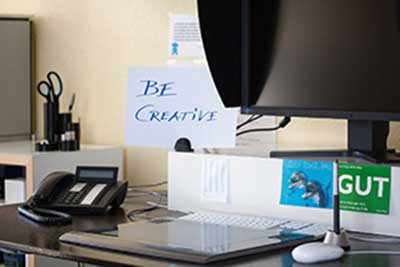 The biggest question many have is Do I have to go any school to become a graphic designer? The answer is NO but if you are passionate to join any big organizations the you will probably have to check what kind of qualifications they require you to have.If you want to become a freelancer then obviously you do not need any degree nor do you have age bars all you need is great skills.
I hope this has been informative and helpful in some way or other.I will be posting more topics on it in details as this was just and introduction.Please leave any question you have in comments section below and I will answer them as I can.

Graphic design includes design for print,web,mobiles,games,TV etc.You can choose to specialize in any of them but its best to keep knowledge about as many of them as you can.It will also help if you have good design skills.
Design has many principles. Some of them are Color, typography, layout, Alignment, Contrast, proximity and repetition. I will go in details in other posts for now its just an introduction.
The biggest question many have is Do I have to go any school to become a graphic designer? The answer is NO but if you are passionate to join any big organizations the you will probably have to check what kind of qualifications they require you to have.If you want to become a freelancer then obviously you do not need any degree nor do you have age bars all you need is great skills.
To become a graphic designer all you need is Passion. Skills can always be improved by learning. Keep learning through books.videos and best of all Internet. Just combine your Passion and with Skills and you will become a Really Creative Graphic Designer.
I hope this has been informative and helpful in some way or other.I will be posting more topics on it in details as this was just and introduction.Please leave any question you have in comments section below and I will answer them as I can.
About Really being Creative Designer
Hello everybody I have started this blog to share the knowledge and information that I have gained over year about Web and Graphic Design.I truly believe that knowledge increases by sharing so this is my small attempt in this direction.

I will be sharing information about Web and Graphic design as well as few tips tricks about Internet,computer and windows.I will includes steps in graphic design and web design process.
Adobe Photoshop being my favorite I love playing with it more than any other software. My hobbies include Drawing and Painting, Making different kinds of art works.
Adobe Photoshop being my favorite I love playing with it more than any other software. My hobbies include Drawing and Painting, Making different kinds of art works.
I also take Graphic and web design work so if you have any project please feel free to contact me.
Subscribe to:
Posts
(
Atom
)