What are Monospace fonts?

Monospace fonts are fonts whose letters have equal width or horizontal space. Hence they are also known as non-proportional fonts. They were used in earlier computers as they had limited graphical capacity. Historically they date back to typewriter days. They had monospace fonts because of the mechanical limitations of typewriters. Since they have equal spacing many times it becomes hard to read. However, monospace fonts numbers are really good and they look good when using the tabular form.
Here are some of the monospace fonts from elements.envato.com they have hundreds of monospace fonts to choose from. Visit elements.envato.com to check them out.
This monospaced font is a monospace version of the original Odudo typeface, designed in collaboration with Alberto Romanos. This font has a round and smooth look and feel. The width of all the letters is equal.

Yet another round and friendly monospace font. It comes in five different weights.

This monospaced font has a really good height. All letters have equal width but are easy to read.

This a serif font. Classy and sleek. You can use it for headlines, posters, etc

Cartograph CF | robust, utilitarian font family
This is a monospaced version of the font that also has proportional sets. It also has nearly 850 glyphs, including coding symbols.

This is a colorful monospaced display font. Can be used for display, headlines, and sub-headlines.

UNLIMITED DOWNLOADS: 50 Million+ Fonts & Design Assets

All the Fonts you need and many other design elements, are available for a monthly subscription by subscribing to Envato Elements. The subscription costs $16.50 per month and gives you unlimited access to a massive and growing library of over 50 million items that can be downloaded as often as you need (stock photos too)!
This is a Geometric Monospaced Font. This is all caps font, can be used for posters, logos.

Devant pro - Modern Typeface + WebFont
This font is a modern Sans Serif typeface. You can use this for Film Posters, headlines, Block letter, Subheading, Logo Designs, Big Banners. This font has a really good height that makes it perfect for posters and flyers, headlines, etc.

UNLIMITED DOWNLOADS: 50+ Million Add-Ons & Design Assets

This is a serif font with a misty look and feel. Best to use in your winter/rainy season-themed projects such as arts, advertisements, branding, logos, etc. You can use it in your creative art projects that require such a mist look.

This is a calligraphy style font. Best to use in your design projects like an invitation, greeting cards, branding materials, business cards, quotes, posters, and more!

Greathfull | Handicraft Typeface
This is a beautiful font with floral decoration. It is a calligraphy style font that you can use in your design projects such as invitation, greeting cards, branding materials, business cards, quotes, posters, etc.

This is yet another decorative font with fairies Silhouette in the font. Best to use in for projects such as books, posters, greeting cards, etc.

These were some of my picks but there are hundreds of fonts on elements.envato please check them out here. There is a font to serve every need. All fonts are professional and clean.
If you like my tutorials and posts follow me on Twitter and Pinterest
What are Font Duos?

Therefore font selection must be done with utmost care. There are different types of fonts. Each font has its own personality. Fonts should be used according to the nature of the design for this study of fonts is really important. You must understand the nature of the font in order to know how and when to use them.
Hallo Schatz Font Duo
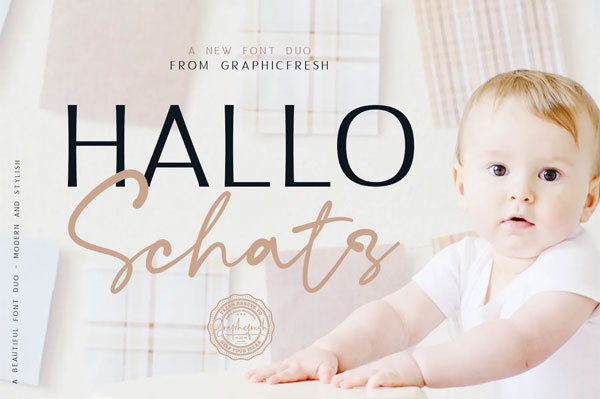
Get this Font duo NOW
Travel Soulmates

Get this Font duo NOW

Get this NOW
Beauty Salon Modern Fonts


Get this font duo NOW
Sailing South Font Duo

Dillandio

Sebastrian Font Duo

Famttura Font Duo

Perkin Font duo pack

Granite Brush

Le Jour - Font Duo

Get this NOW
These were some of my picks but there are hundreds of font duo at Envato elements to suit every need. Please check them out here.
How to create Sliced text Effect In Illustrator

So let's see how its done,
1) Type in your text. Here for now I here using one letter to keep it simple and easy.

2) Select the text right click and select create outlines.
3) Now select the line tool and create a line as shown in the image. You have to place this line where you want to cut the text. So think and decide where you want to slice the text and accordingly place the line.

4) Open the pathfinder pallet from the windows menu or simply press ctr+Shift+F9. Select both text and line and click on Divide in the pathfinders pallet. Now again right click and select Ungroup.

5) Select direct selection tool and select lower part of R and change the Color.

6) Now select lower part to text and move it down a bit.

That's it Simple and easily done in few steps. You can achieve the same result with words.
Here are some examples,